bing tracking image
  1. Solar Charge Controllers
  2. Go Power
  3. 30 Amp
  4. PWM
  5. AGM
  6. Gel
  7. Lead Acid
  8. Lithium
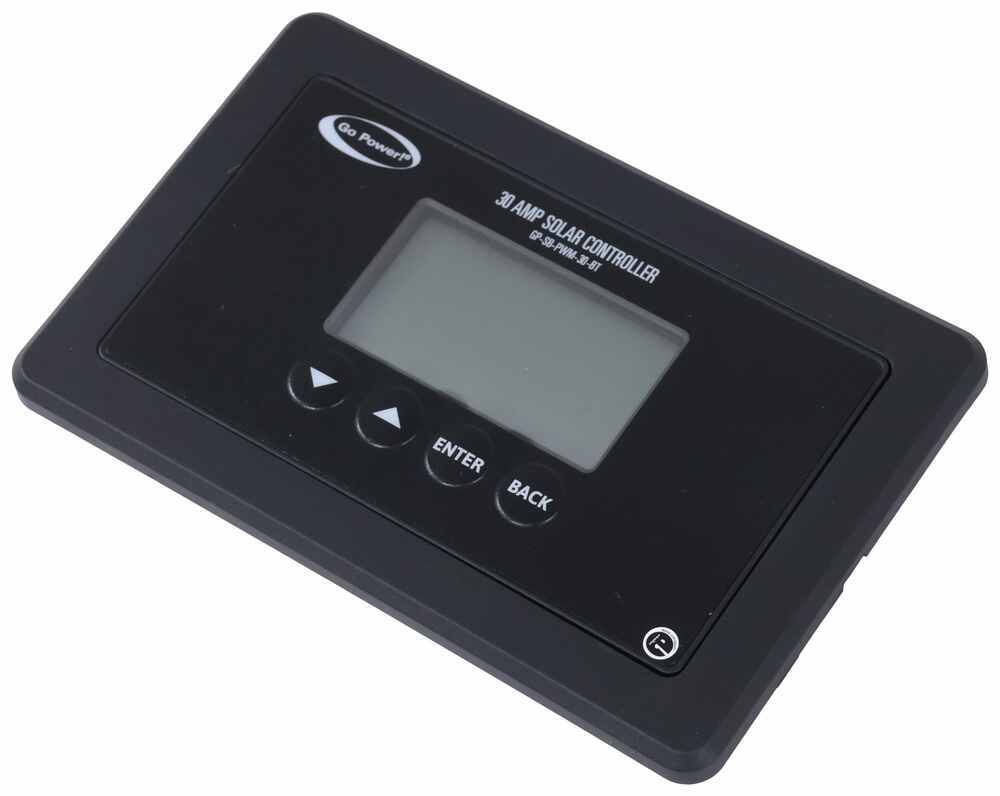
Go Power PWM Solar Charge Controller with Bluetooth - LCD Display - Single Bank - 30 Amp - 12V
Go Power

Go Power PWM Solar Charge Controller with Bluetooth - LCD Display - Single Bank - 30 Amp - 12V

Part Number: GP76QR
In Stock
$99.99
Retail:$125.00
You Save: 20%
Solar Charge Controllers
zoom in icon
slider vertical icon
zoom out icon
Comment field cannot be left empty.
Name field cannot be left empty.
By submitting this form, you understand and agree to our Terms of Sale, Website Terms of Use and Privacy Policy.

Thank you! Your comment has been submitted successfully. You should be able to view your question/comment here within a few days.

Error submitting comment. Please try again momentarily.

Product Images

Customer Photos

Need help with installation?
Locate installers near me
30-Amp Bluetooth solar controller with PWM technology regulates solar panel output to provide consistent amperage to your RV batteries. Protects battery from harmful overcharging and uses automatic multistage charging to extend battery life. Great Prices for the best solar charge controllers from Go Power. Go Power PWM Solar Charge Controller with Bluetooth - LCD Display - Single Bank - 30 Amp - 12V part number GP76QR can be ordered online at etrailer.com or call 1-800-940-8924 for expert service.
  • All Info
  • Reviews (120)
  • Q & A (0)
  • Photos

Go Power Solar Charge Controllers - GP76QR

  • 30 Amp
  • PWM
  • AGM
  • Gel
  • Lead Acid
  • Lithium
  • Go Power
  • Digital Display

30-Amp Bluetooth solar controller with PWM technology regulates solar panel output to provide consistent amperage to your RV batteries. Protects battery from harmful overcharging and uses automatic multistage charging to extend battery life.


Features:

  • 30-Amp solar controller prevents harmful overcharging of your RV batteries
    • Monitors and adjusts output from your solar panels
  • Digital PWM technology regulates panel output to provide a consistent charge
    • Single-bank battery charging terminal lets you charge 1 battery
  • Automatic multistage charging switches modes as the battery charges - helps extend battery life
    • Preset charging profiles for sealed/gel, AGM, flooded, and lithium batteries
  • Maximum Power Boost Technology tops off your battery charge to run electrical loads at night
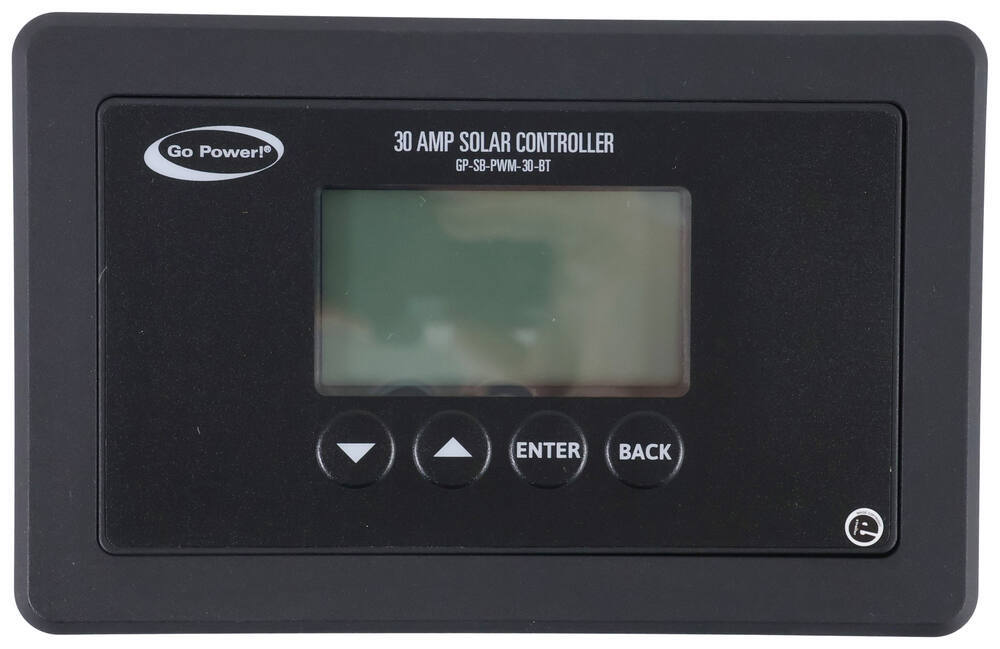
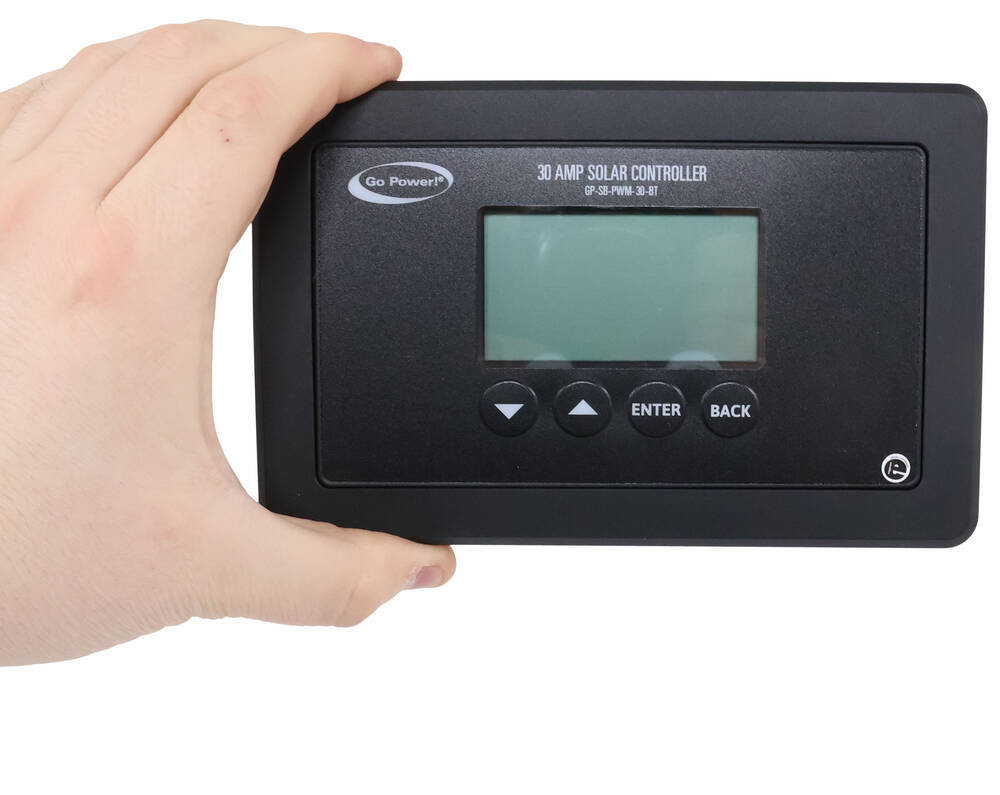
  • Backlit, digital LCD display monitors current, voltage, and state of charge
  • Bluetooth function lets you monitor statistics and configure settings from your smartphone
    • Requires the free Go Power! Connect app
  • Solar controller can also operate Go Power pure sine wave inverters with communication cable (sold separately)
  • Built-in safety features protect your RV's electrical system
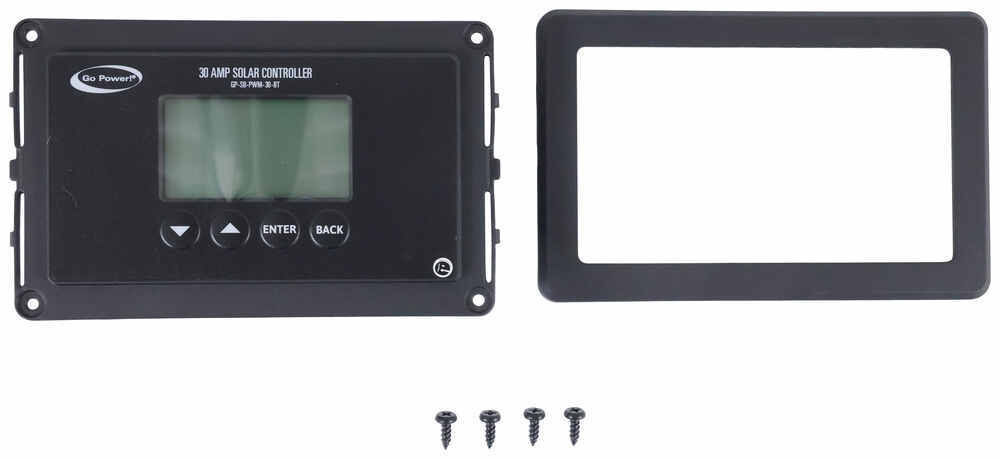
  • Flush-mountable for a sleek, integrated look - includes hardware


Specs:

  • Application: 12V battery and solar systems
    • Works with sealed/gel, AGM, flooded lead acid, and lithium iron phosphate batteries
  • Maximum solar array current: 30 amps
  • Voltage:
    • Battery range: 6 - 15.5V
    • Maximum solar panel input voltage: 28V
  • Operating temperature range: -40 F to 140 F
  • Temperature compensation: -13 mV per F
  • Maximum wire gauge: #4 AWG
  • Weight: 0.66 lbs
  • Controller dimensions: 6-3/8" wide x 4-1/8" tall x 1-7/16" deep
  • Cutout dimensions: 5-1/4" long x 2-7/8" tall x 1-1/16" deep
  • 5-Year warranty


This solar controller prevents harmful overcharging by adjusting the power generated by a solar panel before it reaches your RV batteries. It uses pulse width modulation technology to regulate the output through pulses that provide a consistent charge. Typically, this type of technology is a good fit for smaller systems with lower voltages.


Automatic Multistage Charging System

Using a multistage charging system, the controller automatically switches voltages while the battery bank charges. This accelerates the charge, but also helps extend battery life by adjusting the voltage during the different modes. The controller is compatible with multiple battery types and includes preset charging profiles for sealed/gel, AGM, flooded/wet cell, and lithium batteries.


Charging Modes

  1. Bulk: This mode charges at the full rated load for a quicker recharge time. As the name suggests, this is where the bulk of the charging happens. It typically charges the battery to at least 80% capacity.
  2. Absorption: This mode provides controlled voltage to ensure a full charge. Once the battery reaches between 80% to 90% capacity, the absorption state will kick in and start charging at a regulated voltage. In each charging profile, this mode is set to last for 30 minutes after the bulk charge is completed.
  3. Float: Once the battery reaches full charge, this mode maintains a lower voltage to compensate for self-discharge. This reduces battery stress and minimizes gassing and water loss.
  4. Equalization: On flooded/wet cell batteries, this mode activates to prevent stratification and sulfate buildup during extended float cycles. These two issues can damage a battery by causing the accumulation of acid at the bottom of the battery and hardened sulfate crystals on the battery plates. This mode is especially helpful when your battery is going unused during storage.

Practical, Convenient Features

With Maximum Power Boost Technology, you can simply press a button to activate Bulk mode for the highest charging voltage. This lets you quickly top off your battery bank before the end of the day by capturing as much power as possible.


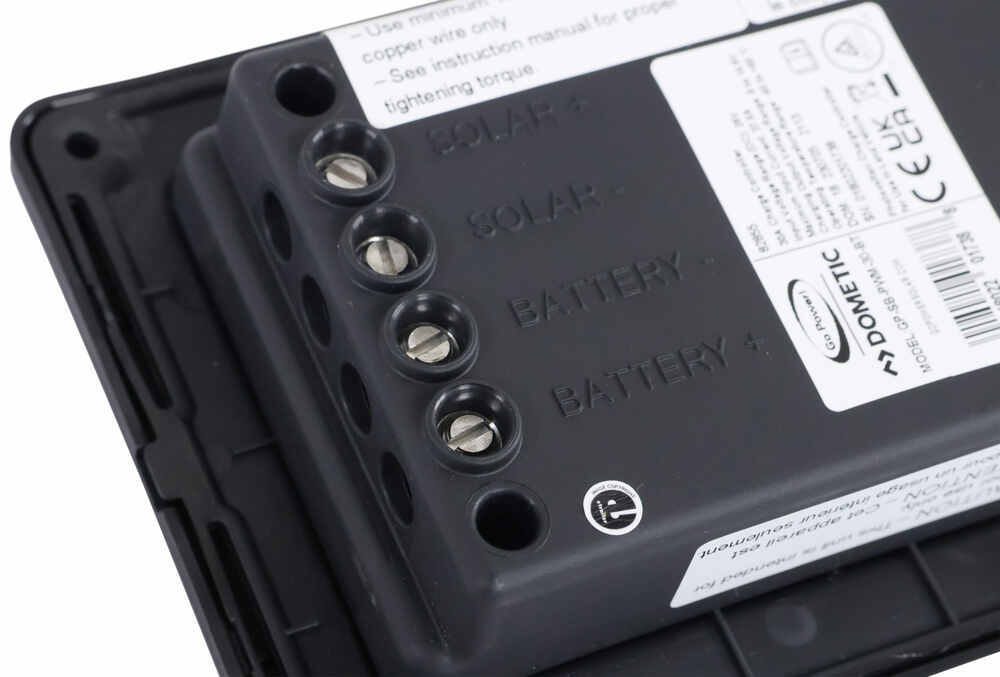
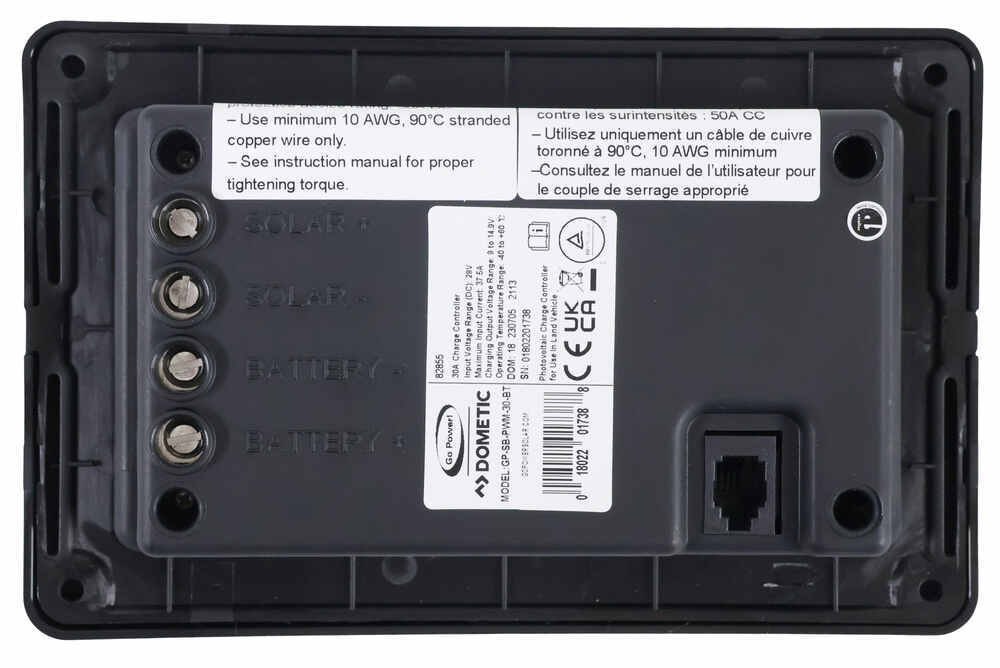
solar controller terminals

This solar controller is built to charge 1 battery bank and has terminals for only a single battery.


solar controller digital display

The backlit, digital display acts as an information center for your solar panel output. It shows the charging current, battery voltage, and battery state of charge. It also allows you to input your battery type and choose a charging profile.


It includes a Bluetooth function that lets you connect the controller to your smartphone or tablet with the free Go Power! Connect app. With this app, you can wirelessly view the same live battery information included on the display. Also, you can control your battery profile and toggle Maximum Power Boost Technology mode.


Lastly, the controller includes several built-in safety features to help protect your equipment. The charging process will shut down if the controller starts to overheat and when an overcurrent is detected. Also, if the battery or solar panel is wired incorrectly, it activates a reverse polarity alarm.


Power Control for Compatible Go Power 12V Pure Sine Wave Inverters

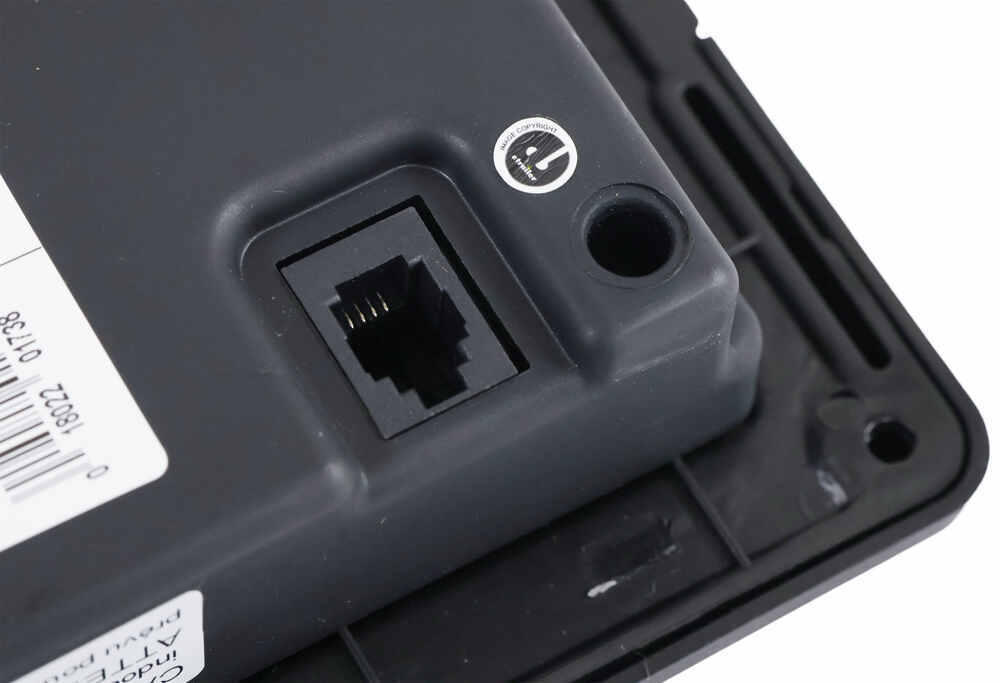
By linking the solar controller and a Go Power 12V pure sine wave inverter with a typical telephone cable, you can control the inverter's power function. Additionally, when the battery bank falls below 11V, the controller uses an automatic low voltage disconnect that shuts down the inverter. After the bank has been sufficiently charged (12.8V for lead acid and 12.2V for lithium), the inverter will turn back on automatically.


Compatible Pure Sine Wave Inverters

  • GP-ISW700-12
  • GP-ISW1000-12
  • GP-SW1000-12
  • GP-HS1500-12
  • GP-ISW1500-12
  • GP-ISW2000-12
  • GP-SW3000-12

How It Installs

The solar controller flush-mounts to a wall inside your RV. It is wired to the solar panel using MC4 cables. Then, the battery bank is wired to the primary terminals on the controller. If you are using additional batteries, they can be connected to the secondary terminals. You can also install a fuse or circuit breaker (sold separately) up to 50 amps between the solar controller and battery for additional current protection.


82855 Go Power! PWM Digital Solar Charge Controller w/ Bluetooth - Single Battery Support - Flush Mount - 30 Amp

Replaces Go Power GP-PWM-30 and GP-SB-PWM-30BT


Customer Satisfaction Score:

Ratings & Reviews

4.6

120 reviews
Review sort icon
30-Amp Bluetooth solar controller with PWM technology regulates solar panel output to provide consistent amperage to your RV batteries. Protects battery from harmful overcharging and uses automatic multistage charging to extend battery life.

by:

Very fast delivery


by:

Thank you for the quick delivery AND.. the excellent communication in helping me understand what I needed and how to put it together. Great online vids helped!!

Gwendolyn Y. profile picture
Etrailer Expert

Gwendolyn Y.

10/31/2024

Hey Richard! Solar can get confusing sometimes so I am glad that we were able to help you in your journey with it.


by:

Works well, had some issues with a connection and called support @ GoPower. They were very helpful and we’re up and running. Customer service was awesome. We are now getting maximum solar. Very happy!


by:

Bluetooth function not working properly. Not enough YouTube nor instructions from manufacturer to get controller to work properly as advertised. Controller is managing solar panel to charge batteries and hold charge but all other functions do not appear to be available. When I do end up replacing this replacement I will go with a more expensive option from a different manufacturer.

Gwendolyn Y. profile picture
Etrailer Expert

Gwendolyn Y.

7/29/2025

This all sounds really frustrating, and I’m truly sorry you’re experiencing this. I reached out to the manufacturer for some troubleshooting guidance, and they mentioned that both Bluetooth and location services need to be enabled for the system to work properly. They also suggested trying a fresh start, uninstalling the app and setting it up again from scratch. It’s not ideal, but it might help resolve the issue. Let me know if you run into any other issues.


by:

Just got it hooked up, works very well. The Bluetooth feature is a game changer. I can check on it through my phone.


by:

This works perfectly. Delivery was very fast. I replaced my old AGM batteries with lithium batteries and changed the solar charger control module to this new one. Very easy installation.


by:

Install easily and is working as advert ised.

Daniel G. profile picture

Daniel G.

10/3/2025

Has worked flawlessly in its year of operation.


by:

Works easy setup


by:

Works well. Good upgrade.


by:

This controller works well very easy to install


by:

Need manual not sure if it’s working co rrect


by:

Easy upgrade to enable lithium charging profile.


by:

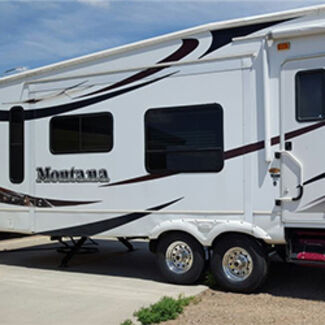
The Go Power 30 amp PWM solar charge controller has been installed. Works great! And the shopping and customer service experience with etrailer.com was also great. Thank you all!
Victoria H. profile picture

Victoria H.

3/28/2025

Yay, we're happy to help everything come together smoothly for you, Peter! Keep shining :)


by:

Works great and the app hooked right up. A great way to monitor battery usage!


by:

Upgrading from 10 amp controller to 30 amp due to additional panels. This controller was in stock, priced well and same Go Power brand as old 10 amp. Shipped quickly, arrived as scheduled. Installed and working great. eTrailer is a great source of parts for trailers and RV.


by:

It needs directions with it. Everything is guess work.


by:

Other than the out of stock deliver was quick

The replacement has a different footprint so has resulted in some fill in to fill the gaps.

Nothing we can’t overcome.


by:

so far so good. It’s working


by:

It did the job


by:

I have 2 controllers each with a 125 watt solar pannel. Keeping a single winch battery in a trailer and a 2 battery rv topped up. The controllers have served my purpose perfectly. Everything is ready to go when I need it.


by:

Got it today! Already looked through the videos and will be installing soon. Replacing an older Go Power controller - hope it will fit the same hole.


by:

Product delivered fast, and met all of my needs.


by:

Great to work with fast shipping


by:

While I have not yet installed this controller, I had the same one in a different RV and it worked well. It definitely does what’s it designed for. This a great controller for a small capacity solar setup. The Bluetooth function also works well.
Jeff profile picture

Jeff

1/12/2026

After one year, the controller still works great. I’ve added another solar panel to provide more amps for charging my lithium battery.

Gwendolyn Y. profile picture
Etrailer Expert

Gwendolyn Y.

1/12/2026

@Jeff Happy to hear, Jeff! Do you do any boondocking with your set up?


by:

Easy to install and set up.


25
25

See what our Experts say about this Go Power Solar Charge Controllers

  • Replacement for Older Go Power PWM-30 Solar Controller
    Hi David, thanks for reaching out! The older Go Power PWM-30 Solar Controller has been discontinued, but you can use the Go Power PWM Solar Charge Controller with Bluetooth # GP76QR along with the Installation Adapter Plate # GP86QR to replace it! I confirmed this with my contact at Go Power.
    view full answer...
  • Parts Needed to Install Solar on 2016 Jayco Pinnacle 5th Wheel
    Hey Paul; the answer to your question depends on what you want to do exactly. It also depends on what your trailer already has on it. I'm going to assume the 2016 Jayco Pinnacle you put in our fitguide is the trailer you have. I'm also going to operate off of the assumption that it has the solar prep in place. If it doesn't, you will need additional wires to run to everything. If you just want to charge the batteries you will need your 200W solar panel # 34282182 and feet # 34272708 and...
    view full answer...
  • Are Other Parts Needed to Mount 30 Amp Go Power PWM Solar Charge Controller GP76QR
    Hey Don; good question and no other parts - including any type of adapter plate or mounting plate - is needed to mount the 30 Amp Go Power PWM Solar Charge Controller with Bluetooth # GP76QR. The # GP76QR comes with screws and is ready to be mounted when you get it.
    view full answer...
  • Can Two Solar Panels Be Added to Setup With Single Panel and 30 Amp Solar Controller
    Hey Tom! Yes, you can add two of the # 34282182 to your setup. I have 3 of these panels on my trailer, which you can see below, and I'm using the 30 amp # GP76QR. This will be the limit of the controller. You will also want some self-leveling sealant # 34427034145-1 and butyl tape # AL28FJ to complete the installation. What kind of trailer do you have?
    view full answer...
  • Can Go Power PWM Solar Charger # GP76QR Charge Battery Bank of 2 Lithium Batteries
    Hey Randy, yes the Go Power PWM Solar Charge Controller with Bluetooth # GP76QR can charge your lithium battery bank that has two batteries. You'd just need to run the charger to the batteries in parallel like how the batteries are wired to the RV. This has a lithium profile on it. I attached a picture that has how parallel batteries are wired. This can also work with your inverter as well without issue. What all are you powering from the battery bank in your RV?
    view full answer...
  • Will Go Power PWM Solar Charge Controller Work With 4 LiFePO4 Batteries
    Hey Lance! The Go Power PWM Solar Charge Controller # GP76QR will definitely work with your LiFePO4 batteries connected in parallel. Just make sure the BMS of the batteries you want to connect allows four of them to be hooked together (it probably does). You also want to make sure your power center is lithium compatible if you're switching from lead acid. Are you putting together a solar system? If you need help with any other parts like the panels, wiring, connectors, or something like...
    view full answer...
  • Mounting Instructions for the Go Power! PWM Solar Charge Controller
    Hey Pete, great question! So I took a look at the install instructions for the Go Power PWM Solar Charge Controller with Bluetooth # GP76QR and it does not look like there are any guidelines for ventilation. Go Power! only suggests that it be mounted indoors protected from the weather, as close to the battery as possible, and mounted on a vertical surface to maximize cooling. So as long as you follow those guides, you're good! :) If you need help with anything else, please feel free...
    view full answer...
  • Does the 30 Amp Go Power PWM Solar Charge Controller GP76QR Display Watts Produced?
    Yes, there is Scott. The Go Power PWM Solar Charge Controller item # GP76QR will display the amps or current produced and battery voltage but it does not show the watts per panel. You'll be able to calculate the watts by multiplying the displayed amperage by the battery voltage. Amps x Voltage = Watts. Now if you don't want to have to do math every time you want to see the voltage your panels are producing, I recommend the Victron SmartSolar 100/30 MPPT Solar Charge Controller item # VN62VR....
    view full answer...
  • Parts Needed for Travel Trailer Pre-Wired for Solar
    Hi Marty; depending on what your solar pre-wiring entails the Go Power PWM Solar Charge Controller # GP76QR and Go Power Overlander Expansion Kit - 200 Watt Solar Panel # 34282182 may be what you need. Do you have a sticker somewhere on the wall inside that is marked for a specific Go Power PWM Solar Charge Controller? It would look similar to the one attached below. If you have this sticker/template, along with an entry plate like # 34273840 on top of your trailer, then these parts will...
    view full answer...
  • Will the Go Power PWM Solar Charge Controller w/ Bluetooth Work w/ Lithium Batteries?
    Yes, it will! The Go Power PWM Solar Charge Controller with Bluetooth item # GP76QR does indeed work with 12v lithium batteries. It has a maximum solar array current of 30 amps. What kind of solar panel set up do you have?
    view full answer...
  • How Many Panels Can I Use w/ a 10 Amp Go Power PWM Solar Charge Controller?
    Hey Todd. It depends on what size solar panel you have but that sounds correct. A 10 Amp Go Power PWM Solar Charge Controller like item # 34280503 is going to limit you to a couple of 80 or 90 watt solar panels or one 200 Watt Solar Panel like item # 34282182. You can always upgrade or add a higher amp controller like the 30 Amp Go Power PWM Solar Charge Controller with Bluetooth item # GP76QR. How many panels are you wanting to add?
    view full answer...
  • Replacement Lithium Compatible Solar Charge Controller For A Portable Solar Panel Kit
    Hey Brian, The Go Power PWM Solar Charge Controller with Bluetooth # GP76QR would be compatible with your new lithium batteries and could replace your current charge controller. Which kit do you have specifically? I might be able to find a better option or figure out a good way to mount the controller to your panel(s).
    view full answer...
  • Will the Go Power PWM Solar Charge Controller w/ Bluetooth Work w/a LiTime 12V LiFePO4 Battery?
    Yes, it will Eric. The Go Power PWM Solar Charge Controller with Bluetooth item # GP76QR will indeed work with a LiTime 12V LiFePO4 Battery. It has a maximum solar array current of 30 amps. How many amp hours is your battery? You can add this information and any other questions you have where it says Reply to Jerred H and I'll be happy to answer them.
    view full answer...
  • Why Is My Go Power Solar Controller Giving Me A Temperature Error?
    Hello Matt, Thanks for writing in! I am sorry you have to deal with this issue, it would be nice if our stuff just worked as it should. However, that might put me out of a job =) I appreciate all the detail you provided. I reached out directly to Go Power about the temperature error you are getting with your Go Power PWM Solar Charge Controller # GP76QR. The first thing they want us to check is whether the controller itself is getting too hot in that factory mounting location. Since...
    view full answer...
  • Recommended Solar Panel Expansion Kit for a Go Power Set Up
    Yes, you can! You'll want to use the Go Power Overlander Expansion Kit - 200 Watt Solar Panel item # 34282182. This kit has the MC4 connections you'll need to tap into your existing set up. I have linked a review video below so you can see the features of this expansion kit demonstrated.
    view full answer...
  • Where Is the Fuse for the Go Power Solar Controller Located
    The fuse for the Go Power PWM Solar Charge Controller # GP76QR is not located on the controller itself. It should be inline on the wire running from the controllers positive port to the battery.
    view full answer...
  • Can I Disable Solar Charging on the Go Power PWM Solar Charge Controller w/ Bluetooth?
    Yes, it is Dale. The Go Power PWM Solar Charge Controller with Bluetooth item # GP76QR is the latest model and it is newer than the Dual Bank item # 34276119. I took a look at the owner's maul and you do have the option to disable solar charging when you go through the menu. What kind of RV or trailer do you have?
    view full answer...
  • Will A 30 Amp Solar Charge Controller Charge Batteries Faster Than A 10 Amp Solar Charge Controller
    Hi Donald, Yes, a higher amperage charger, like the # GP76QR (30 amp), would be able to provide a faster recharge for your battery bank than a 10 amp controller like the # 34280503. When adding in the second battery you'll want to wire it in parallel with first battery and the charge controller can be still be wired to the first battery. Adding in a higher amperage controller doesn't mean that you'll automatically get more amperage though. You're still limited to the output of the panels...
    view full answer...
  • Is The Go Power PWM Solar Charge Controller # GP76QR the Same as GP-SB-PVM-30-BT?
    The Go Power PWM Solar Charge Controller # GP76QR is the Go Power part GP-SB-PWM-30BT. We use different part numbers than manufacturers as we carry parts for hundreds of manufacturers and they can sometimes have the same part numbers which gets confusing. I understand this can also be confusing as we use different numbers as well.
    view full answer...
  • How Do I Disconnect My Solar Panels for Storage/Maintenance?
    Hi Donald, The disconnect setting you mentioned is to stop the controller from sending power to the batteries, but there is still power going into the controller from the panels if they're not covered. It's a small amount of power, but definitely enough to power something small like the 12V cabin light. To disconnect your panels and stop them from charging you'll need to cover the panels with something to stop them from producing voltage. Then you'll need to find the inline fuse or circuit...
    view full answer...
  • Does Install of Solar Setup on Trailer Require Protecting Vehicle Battery
    Hey Jeff, this is a good question but no you do not need to do anything to protect the wiring of your truck when going to a solar setup. The charge controller like the part # GP76QR that you referenced won't overcharge the battery of the trailer or the wiring from the battery up to the tow vehicle battery. What solar setup are you installing?
    view full answer...

Do you have a question about this Solar Charge Controller?


Info for this part was:

Employee Jameson C
Expert Research:
Jameson C
Employee Steven C
Installed by:
Steven C
Employee Wilson B
Updated by:
Wilson B
Employee Michael B
Updated by:
Michael B
Employee Amanda M
Edited by:
Amanda M
Employee Cody B
Written by:
Cody B

At etrailer we provide the best information available about the products we sell. We take the quality of our information seriously so that you can get the right part the first time. Let us know if anything is missing or if you have any questions.

Product Experts Available Now!
Call 1-800-940-8924